Posts

How to Control Kodi Software with IR (Infrared)

Image
When attempting to control and integrate Kodi software with the use of a universal control you will need the help from the Flirc USB Dongle to accomplish the task which is readily available on Amazon's Online Store .  When setting up the Flirc adapter you are able to configure the USB dongle and learn the IR codes that you would like to use to control your Kodi software with the downloadable Flirc configuration software. The Flirc dongle and software together learn the IR codes from any remote and allow them to control the functions of the Kodi software which are set one at a time. Once the setup has been completed with all the IR codes learned into the Flirc adapter you finalize the configuration and the dongle is ready to be plugged into the device you are running Kodi in an open usb port. Essentially now you have an IR receiver located off the usb port for you to use as you wish.  https://flirc.tv/downloads The Flirc USB dongle also is compatible ...

How to Control Sonos Music System with a Battery Powered Wireless WiFi Audio Keypad Remote Control

Image
The Sonos wireless music system has been a standard system in many homes as they have been around since 2002. Like many Sonos users the music system is solely controlled via a smartphone or tablet Apple/Android app. The Xpress Audio Keypad by iPort changes this with allowing the battery powered WiFi remote control to easily control a Sonos room or multiple rooms with the tap of a tactile button. The Xpress audio keypad is configured using the smartphone iPort app allowing the user to adjust what rooms they would like to control as well as what favorites are triggered using the favorite Star button. The keypad also allows for Play/Pause, Skip Track and Volume Up & Down. The Sonos Xpress Audio Keypad can be purchased from Amazon as seen below and is a great addition to any Sonos Wireless music system.

Control4 2.10.1 Composer Software New Features and Release Notes

Image
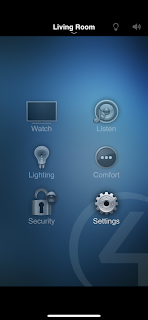
The Control4 software Composer 2.10.1 update to the smart home eco-system adds new products, make improvements upon existing features and provides stability / bug fixes. See below for the full updated details and 2.10.1 release notes.

Savant Pro 8.7.1 Updates, Features & DaVinci Release Notes

Image
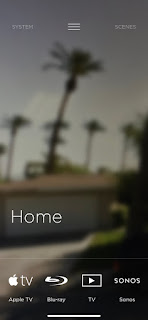
Savant systems automation has updated their Pro 8 software with the DaVinci 8.7.1 update which is an  update with software additions and bug fixes. Below is a list of the items included in the Savant update. Support for iPhone X Requested enhancements and fixes New Features and Hardware Available with daVinci 8.7.1 Software Update Savant Smart Bulbs and LED strips with TrueImage Lighting Savant IP Video and Audio Distribution Savant Pro Remote Multi-Room - REM-2000 Scene assignment to a Metropolitan keypad button Savant Shades Savant Touch in-wall and tabletop control screens Door lock and garage door services Amazon Alexa Support See below for the full Savant DaVinci 8.7.1 Release Notes.

Savant Pro 8.7 Updates and Features DaVinci Release Notes

Image
Savant has updated their Pro 8 software with the DaVinci 8.7 update which is an incremental update with software additions and bug fixes. Below is a list of the items included in the Savant update. Requested enhancements and fixes Sleep timer added for A/V services - press and hold power button either in the App of the Savant Pro remote to access New Features and Hardware Available with daVinci 8.7 Software Update Savant Smart Bulbs and LED strips with TrueImage Lighting Savant IP Video and Audio Distribution Savant Pro Remote Multi-Room - REM-2000 Scene assignment to a Metropolitan keypad button Savant Shades Savant Touch in-wall and tabletop control screens Door lock and garage door services Amazon Alexa Support See below for the full Savant DaVinci 8.7 Release Notes.